Loved One Photo
ENGINE v2.4 // 100% FREE ONLINE

Add Person to Photo Online Free | No Sign-up

Instantly add anyone to any photo with AI. Insert a person into a group shot, add someone to a vacation photo, or reunite family members in pictures — all free, all online.

Rating
4.9 / 5.0
Speed
< 30 sec
Privacy
Encrypted
PREVIEW // AI_COMPOSITION
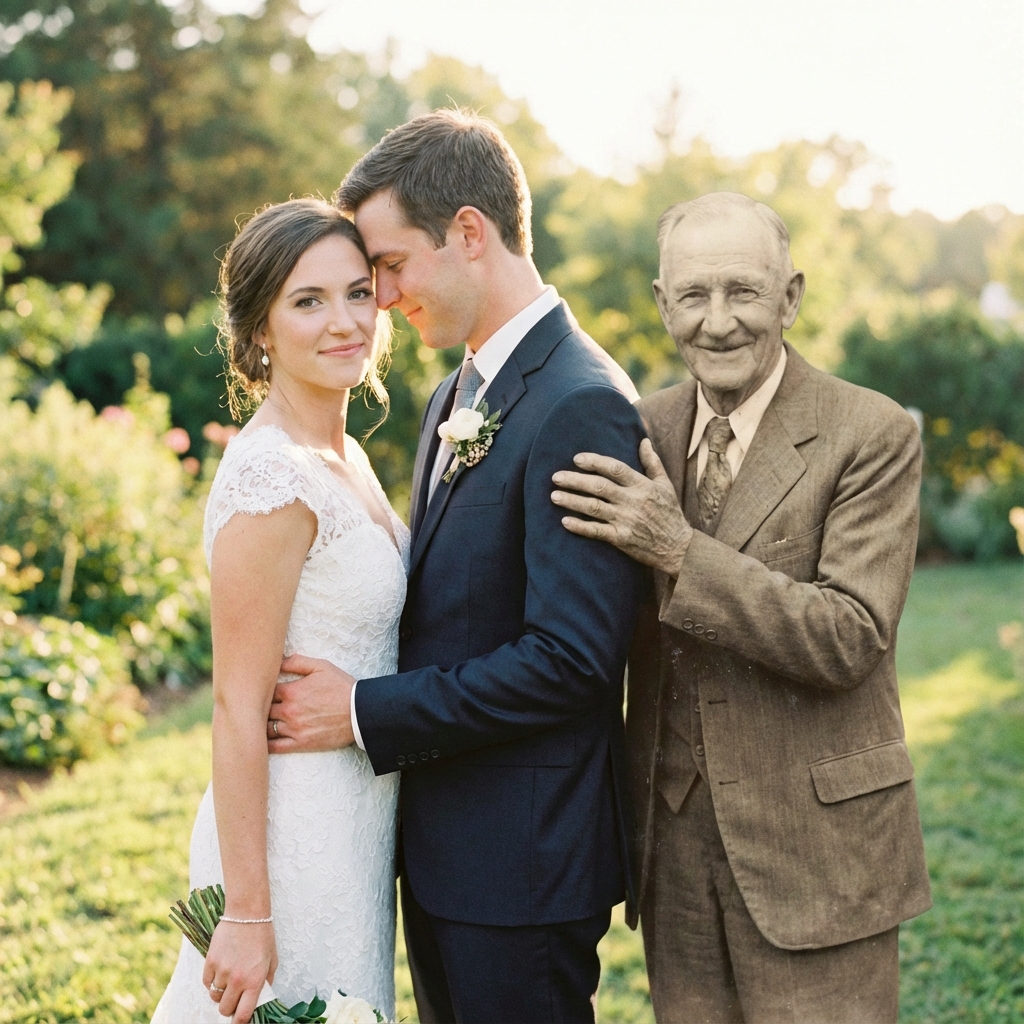
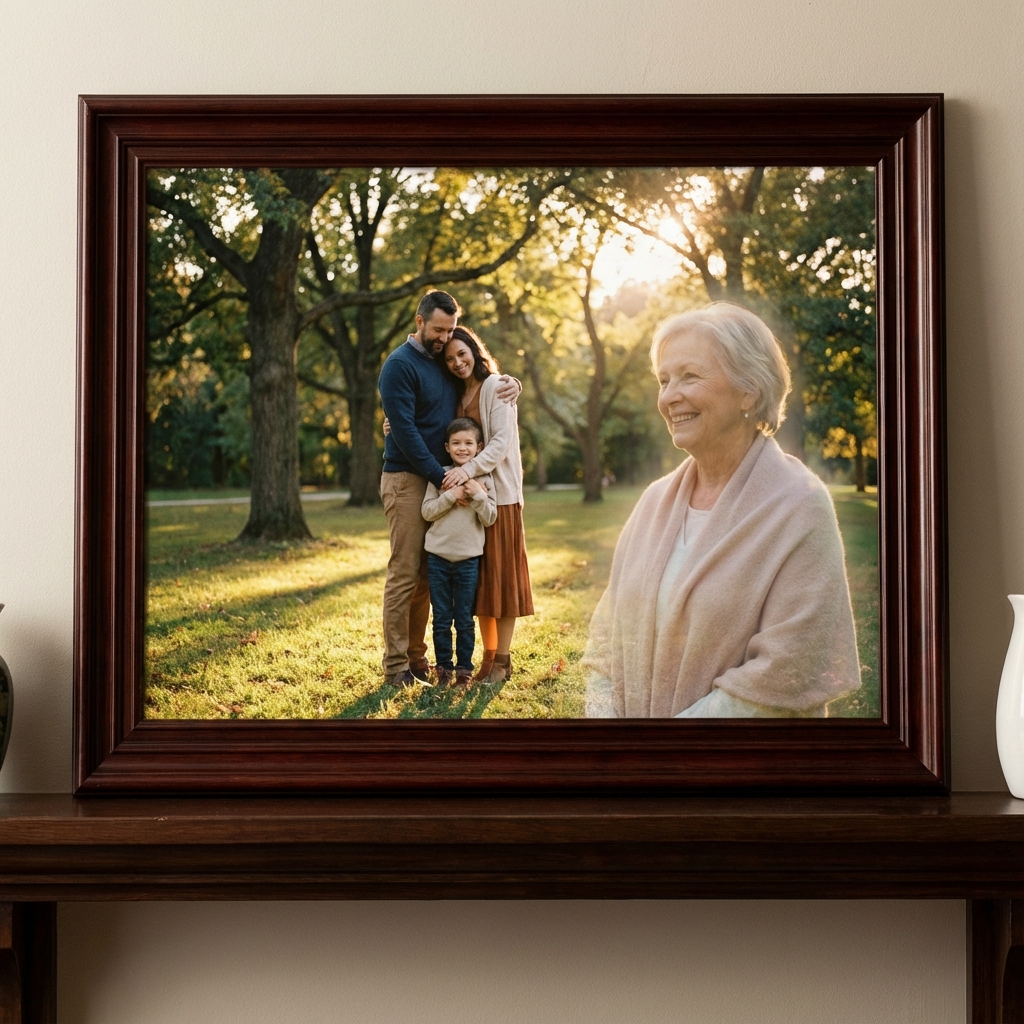
Add person to photo online free - AI photo editing demo
AI Merged
Output Resolution
300 DPI Print Ready
Try Now
Global Users
1,000,000+
People Added
2.5k+ Reviews
4.9 / 5.0
Satisfaction Rate
Instant AI Engine
< 30s
Processing Speed
No Credit Card
0.00$
Free Online Preview
WORKFLOW // 3 SIMPLE STEPS

How to Add a Person to a Photo Online

No manual Photoshop masking required. Our neural network processes background isolation, lighting match, and depth insertion automatically.

01 / STEP

Upload Source Images

Upload your target base photograph and a clear picture of the person you wish to insert into the scene.

SUPPORTED: JPG, PNG, WEBP, HEIC
02 / STEP

AI Synthesizes & Blends

The neural core extracts the person, matches light vectors, computes contact shadows, and aligns perspective seamlessly.

LATENCY: ~20-30 SECONDS
03 / STEP

Preview & Download

Review the composite image in real time. Download high-resolution files or submit for optional human artist refining.

EXPORT: 300 DPI / HD PREVIEW
FEATURES // TECHNICAL SPECS

Built for Seamless AI Precision

Advanced neural segmentation combined with automated shadow computation ensures professional studio results.

FEAT_01

Add Anyone to Any Photo

Extract subjects from one photo and seamlessly place them into another. Perfect for group photos, missing family members, and memorial portraits.

FEAT_02

AI Lighting & Shadow Match

Automated depth calculation matches ambient directional light, natural cast shadows, and skin tones for undetectable blending.

FEAT_03

Multi-Subject Composition

Insert multiple people into a single base image. Reconstruct entire family gatherings with accurate perspective scaling.

FEAT_04

Chromatic Harmony Sync

AI calibrates white balance, grain level, and color temperature between source and target images automatically.

FEAT_05

Zero Installation & Cross-Device

Runs natively in modern browsers across iOS, Android, macOS, and Windows with no downloads or plugins required.

FEAT_06

300 DPI Print Resolution

Export high-definition outputs ready for physical canvas prints, framed portraits, and physical memory keepsakes.

BENCHMARK // COMPARISON MATRIX

Why Choose Our AI Photo Tool

See how our instant AI person insertion core compares against manual Photoshop editing and generic mobile apps.

CapabilityOur AI CorePhotoshopFree Apps
Instant AI Person Cutout
Automated Ambient Light Matching
Zero Learning Curve (One-Click)
Cross-Device Web App (No Install)
Print-Ready 300 DPI Output
Optional Human Master Artist Review
Multiple People In One Photo
Free Preview Engine
REVIEWS // VERIFIED FEEDBACK

Trusted by 1M+ Users Worldwide

Real reviews from users who added missing friends, overseas family members, and deceased loved ones to photos.

Verified

"I added my deployed son into our family holiday picture. The lighting match was so convincing nobody could tell it was combined."

Lisa M.
Florida, USA
Verified

"We routinely use this tool to add late arrivals to corporate team photos. Fast, ultra clean, and highly accurate results."

James R.
California, USA
Verified

"My late husband was added next to our new grandchild in a portrait. It gave our whole family peace and happiness."

Maria S.
Illinois, USA
Verified

"The shadow matching and edge extraction saves me hours compared to manual masking in traditional desktop software."

David K.
New York, USA
GUIDE // SEO KNOWLEDGE BASE

The Definitive Guide to Add Person to Photo Online Free

Looking to add a person to a photo online free without paying expensive studio retouching fees or learning complex desktop software? Our specialized AI add person to photo engine offers high-precision subject isolation, lighting vector alignment, and skin-tone synchronization in under 30 seconds.

What Does "Add Person to Photo" Mean?

Add person to photo is the process of extracting a person from one photograph and inserting them into a new target picture seamlessly. Historically, this required hours of pen tool selection, edge smoothing, custom drop shadows, and color grading in Adobe Photoshop. With deep learning, our web tool handles complex cutout and perspective matching in a single click.

Key Advantages of Our Free Online AI Tool

100% Free to Preview

Test compositions without credit cards or signups.

Sub-30 Second Render

Automated AI algorithms execute in seconds.

Zero Software Install

Works directly inside iPhone, Android, Safari, or Chrome.

300 DPI Print Export

Ready for canvas framing, memorial cards, and photo books.

How Neural Lighting & Shadow Matching Works

When inserting a subject into an existing background, realistic lighting is the single most important factor. Our AI analyzes the primary light source of the destination image, calculates target specular highlights, and applies directional ambient shadows underneath the person's feet and attire so they look like they were present in the original photograph.

START FREE NOW // NO SIGNUP REQUIRED

Ready to Add Someone to Your Photo?

Join over 1 million users who have combined group photos, restored memories, and created touching memorial portraits with our online AI editor.

✓ Instant Web Render✓ 100% Free Preview✓ Mobile & Desktop
COMMON QUESTIONS

Frequently Asked
Questions

Everything you need to know about our memorial photo service.

Simply upload your main photo and a photo of the person you want to add. Our AI will automatically detect the person, match the lighting and perspective, and seamlessly insert them into your photo. It's completely free and takes less than a minute.
Yes! Our add person to photo tool is perfect for group photos. You can add someone who was missing from the original shot, insert a family member who couldn't attend an event, or even add a deceased loved one to a current family portrait.
Yes, our basic add person to photo online free service is completely free. You get a high-quality preview instantly without any signup or credit card. Premium hand-retouched versions are available for print-quality results.
Our AI produces professional-quality results with matched lighting, shadows, and skin tones. The free preview is web-resolution. For printing, we offer high-resolution 300 DPI files with optional human artist retouching.
Absolutely! Our add person to photo tool works on all devices — iPhone, Android, iPad, and desktop computers. No app download required. Just open our website in your browser and start editing.
Our AI technology ensures realistic results by matching lighting direction, shadow intensity, color temperature, and perspective. Most people can't tell the photo has been edited. For the most demanding projects, our artists can hand-retouch the result.